<font face='"Times New Roman"' style="font-size: 12pt;"> </font>
<font color="#000000" face='"黑体"' style="font-size: 12pt;">5.2.1 </font><font color="#000000" face='"黑体"' style="font-size: 12pt;">客户往来总账</font><font color="#000000" face='"Times New Roman"' style="font-size: 12pt; display: none;">{finance_gl_acctbook_customer_general}</font>
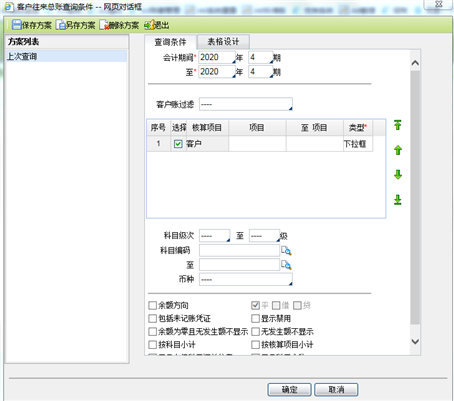
<font color="#000000" face='"Times New Roman"' style="font-size: 10.5pt; font-weight: bold;">【主要功能】</font><font color="#000000" face='"Times New Roman"' style="font-size: 10.5pt;">用于查询某个往来客户所有科目的总账情况。</font>
<font color="#000000" face='"Times New Roman"' style="font-size: 10.5pt; font-weight: bold;">操作步骤:</font>
<font color="#000000" face='"Times New Roman"' style="font-size: 10.5pt;">【第一步】点击【功能导航/财务/总账管理/往来管理/客户往来总账】菜单项,系统弹出如下图</font>